With the gaming world constantly evolving, understanding the nuances between consoles is more important than ever. Nintendo’s Wii and Wii U both made significant impacts, but they brought very different innovations to the table.
If you’ve ever wondered what truly sets these two apart beyond just their names, you’re in the right place. Today, we’ll dive into how each console shaped gaming experiences uniquely, from controller design to gameplay possibilities.
Whether you’re a longtime fan or new to Nintendo’s ecosystem, this breakdown will give you fresh insights to appreciate their legacy. Stick around—you might just discover why one feels like a revolutionary leap while the other serves as a clever evolution.
Revolutionizing Interaction: From Motion Controls to Touchscreens
Wii’s Motion Control Breakthrough
The original Wii stunned the gaming world by introducing motion controls that felt genuinely intuitive. Holding the Wii Remote, you didn’t just push buttons—you waved, pointed, and swung it like a real tennis racket or golf club.
This tactile, physical involvement transformed how players engaged with games, making it accessible even to those who’d never considered themselves gamers.
I remember playing Wii Sports at a friend’s house and feeling like I was actually on a virtual court. That sense of immersion was groundbreaking back then and set the stage for interactive gaming to become more mainstream.
Wii U’s Touchscreen Innovation
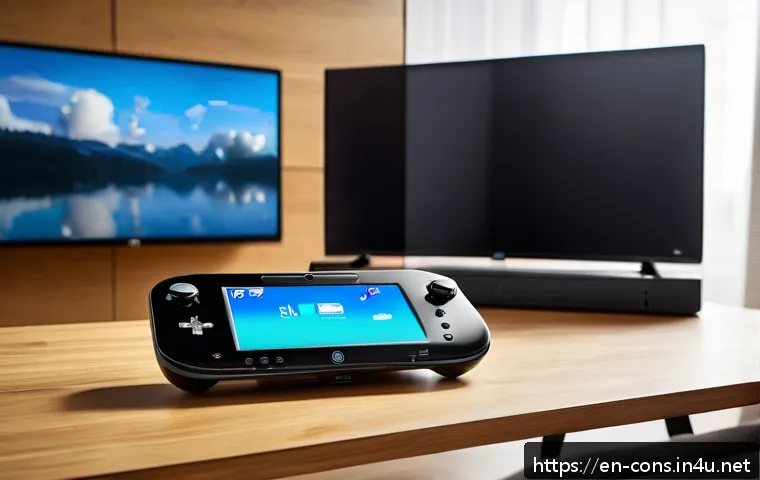
The Wii U took a different path with its GamePad, a controller featuring a built-in touchscreen that acted almost like a mini-tablet. This dual-screen approach offered a novel way to experience games—imagine managing your inventory or maps on the GamePad while the action continued on the TV.
It was clever, though not as immediately accessible as the Wii’s motion controls. From my experience, this setup encouraged more strategic play and multitasking, but it also required developers to think differently about game design, which wasn’t always seamless.
Comparing Controller Experiences
The contrast between the Wii Remote and the Wii U GamePad highlights Nintendo’s unique approaches to interaction. While the Wii emphasized simplicity and broad appeal through physical gestures, the Wii U embraced complexity and depth with its touchscreen capabilities.
It’s like comparing a lightweight, easy-to-pick-up sports tool to a sophisticated multi-functional gadget. Both have their charms, but they cater to different playstyles and expectations.
Hardware and Performance: Power Meets Purpose
Wii’s Hardware Focus on Fun Over Specs
The Wii wasn’t about raw power—it prioritized accessibility and fun, which meant its hardware was modest compared to contemporaries like the Xbox 360 or PS3.
This choice made the console affordable and energy-efficient, but also limited its graphical capabilities. Personally, I found that the visuals didn’t take away from the experience; the charm and creativity of the games more than made up for any lack of eye candy.
Wii U’s Leap Towards HD and Processing Power
Wii U stepped up with HD graphics and a more powerful CPU and GPU, closing the gap with other consoles of its generation. This allowed for richer, more detailed game worlds and smoother gameplay.
When I first booted up a game on the Wii U, the crispness of the visuals was noticeable, especially compared to the Wii. However, the increased complexity sometimes led to longer load times, a trade-off that didn’t always sit well with players craving instant fun.
Technical Specifications at a Glance
| Feature | Wii | Wii U |
|---|---|---|
| CPU | PowerPC-based “Broadway” 729 MHz | PowerPC-based “Espresso” 1.24 GHz |
| GPU | ATI “Hollywood” 243 MHz | AMD Radeon-based “Latte” 550 MHz |
| Resolution | 480p (SD) | Up to 1080p (HD) |
| Storage | 512 MB internal flash | 8 GB / 32 GB internal flash + SD card slot |
| Controller | Wii Remote with motion sensors | Wii U GamePad with touchscreen |
Game Library and Backward Compatibility
Wii’s Diverse and Family-Friendly Titles
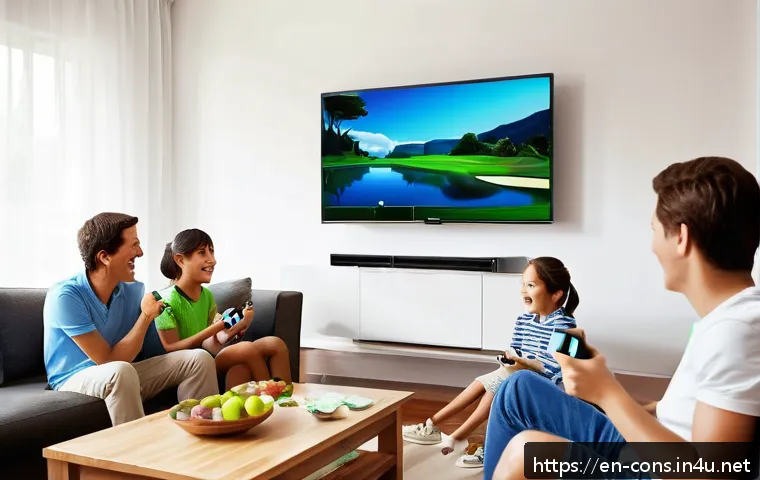
The Wii’s game lineup was famously broad, with a strong emphasis on casual and family-friendly titles. Games like Wii Sports, Mario Kart Wii, and Wii Fit became household staples, drawing in players of all ages.
I’ve seen entire families gather around the TV for a quick match, bonding over simple yet addictive gameplay. This library was a big part of why the Wii became such a cultural phenomenon.
Wii U’s Blend of Legacy and New IPs
The Wii U carried forward compatibility with Wii games and accessories, which was a smart move to ease the transition for owners. However, its own library was smaller and more focused on core Nintendo franchises and innovative experiments like Splatoon.
From my perspective, the Wii U felt like a console for Nintendo’s hardcore fans, with a mix of familiar favorites and fresh ideas, but it struggled to capture the mass-market excitement that the Wii had.
Backward Compatibility Details
The ability to play Wii games on the Wii U was a major selling point, but it came with some quirks. For example, certain Wii peripherals like the Balance Board worked seamlessly, while others required adapters or didn’t function perfectly.
Still, this feature gave players more value and choice, making the Wii U feel like a bridge between Nintendo’s past and future.
Social and Online Features
Wii’s Limited Online Presence
While the Wii had some online capabilities through the Nintendo Wi-Fi Connection, its functionality was basic and eventually discontinued. It mainly supported simple multiplayer games and downloadable content, but the experience wasn’t as integrated or robust as modern standards.
I remember trying to connect for online matches, but the process was often clunky and slow, which limited long-term engagement.
Wii U’s Enhanced Connectivity and Miiverse
The Wii U introduced Miiverse, Nintendo’s own social network, which allowed players to share drawings, messages, and gameplay tips within the community.
It was a charming attempt to build a more connected experience, though it didn’t rival platforms like Xbox Live or PlayStation Network in scale or features.
I enjoyed browsing Miiverse posts and seeing creative player content, which added a personal touch to gaming, even if the service eventually shut down.
Online Multiplayer and Digital Distribution
Wii U improved digital storefronts with the Nintendo eShop, making it easier to buy and download games directly. Online multiplayer was more seamless and supported a wider range of titles.
From playing Splatoon online to downloading indie games, this shift reflected Nintendo’s growing embrace of digital trends, though it still lagged behind competitors in sheer content volume and social integration.
Design Philosophy and User Experience
Wii’s Simplicity and Intuitive Design
The Wii’s design was all about simplicity—both in hardware and user interface. The console itself was compact and unassuming, while the menu system was clean and easy to navigate.
I often found this straightforwardness refreshing, especially compared to more complex systems. It felt like Nintendo wanted to remove barriers, so anyone could jump in and start having fun immediately.
Wii U’s Ambitious Dual-Screen Approach
The Wii U’s user experience revolved around the dual screens, which was both a strength and a source of confusion for some players. Switching between the TV and GamePad screen, managing off-TV play, and understanding how to use the touchscreen added layers of complexity.
In my case, it took some getting used to, but once comfortable, the added flexibility was genuinely rewarding, opening up new ways to interact with games.
Physical Console and Controller Design
Physically, the Wii U was larger and more angular than the original Wii, which sported a sleek and minimalist look. The GamePad was heavier due to its built-in screen and battery, making long sessions slightly more tiring for the hands compared to the lightweight Wii Remote.
Both designs reflect Nintendo’s evolving priorities—from accessibility to innovation—with trade-offs in comfort and familiarity.
Legacy and Impact on Nintendo’s Future
Wii’s Cultural Phenomenon Status
The Wii’s impact goes beyond sales numbers—it redefined who could be a gamer and how games could be played. It created a huge casual gaming audience and paved the way for motion controls in the industry.
Looking back, it’s clear that the Wii was a cultural milestone that changed gaming’s social landscape, inspiring countless imitators and shaping Nintendo’s identity.
Wii U as a Transitional Experiment
The Wii U, while less commercially successful, served as a crucial stepping stone toward Nintendo’s future. Its ideas about dual screens and touch controls directly influenced the design of the Nintendo Switch, which has become a massive hit.
From my perspective, the Wii U was Nintendo’s experimental phase—some ideas worked better than others, but all contributed to shaping the company’s next big success.
How These Consoles Shaped Modern Gaming
Both consoles demonstrated Nintendo’s willingness to innovate beyond raw power and graphics, focusing instead on new ways to play and connect. The Wii proved that gameplay experience could trump specs, while the Wii U’s experimentation with second screens laid groundwork for hybrid gaming.
Together, they remind us that sometimes, taking risks and trying new concepts is what drives the industry forward.
In Closing
The evolution from the Wii’s motion controls to the Wii U’s touchscreen innovation marks a fascinating journey in interactive gaming. These consoles not only introduced new ways to play but also reshaped how players connect with games and each other. Reflecting on their legacies, it’s clear they laid important groundwork for Nintendo’s future successes. Their impact continues to influence gaming design and player experiences today.
Useful Information to Know
1. The Wii revolutionized gaming by making motion controls accessible and fun for all ages, creating a new casual gaming audience.
2. The Wii U introduced a unique dual-screen system with a touchscreen GamePad, encouraging more strategic and immersive gameplay.
3. Despite modest hardware, the Wii prioritized fun and accessibility over raw graphical power, which resonated with many players.
4. Backward compatibility allowed Wii U owners to enjoy a broad library of Wii games, easing the transition between consoles.
5. Online features evolved from basic multiplayer on the Wii to enhanced digital distribution and social connectivity on the Wii U, although still limited compared to competitors.
Key Takeaways
Both the Wii and Wii U highlight Nintendo’s commitment to innovation beyond technical specs, focusing on how players experience games. The Wii’s simple yet engaging motion controls expanded gaming’s reach, while the Wii U’s touchscreen and dual-screen concepts paved the way for future hybrid consoles. Understanding these consoles’ strengths and challenges offers valuable insight into the evolution of interactive entertainment and Nintendo’s ongoing influence in the industry.
Frequently Asked Questions (FAQ) 📖
Q: uestionsQ1: What are the main differences in gameplay experience between the Wii and the Wii U?
A: The Wii introduced motion controls with its innovative Wii Remote, making gaming more physically interactive and accessible to a broad audience. The Wii U, on the other hand, expanded on this by adding the GamePad—a tablet-like controller with its own screen—enabling asymmetric gameplay where one player could have a different perspective or controls than others.
While the Wii focused on simple, family-friendly fun, the Wii U aimed to blend traditional gaming with new multiplayer dynamics and second-screen experiences, offering a deeper, more versatile gaming environment.
Q: Can I play Wii games on the Wii U console?
A: Yes, the Wii U is backward compatible with almost all Wii games and accessories. This means you can enjoy your favorite Wii titles on the Wii U without needing the original console.
However, some features tied specifically to the Wii Remote Plus or certain peripherals might have limitations depending on the game, but overall, the transition is smooth, making the Wii U a great choice if you want access to both libraries.
Q: Why did the Wii U not achieve the same popularity as the Wii despite its advanced features?
A: While the Wii U had promising hardware innovations, several factors held it back. Its marketing was confusing for many consumers who thought it was just a Wii add-on rather than a new console.
The game library was also smaller and lacked many blockbuster titles at launch compared to competitors. Additionally, the rise of mobile gaming and other consoles with strong online ecosystems diverted attention.
Personally, I found that although the Wii U’s GamePad was a neat idea, it didn’t always translate into must-have gameplay, which affected its long-term appeal.